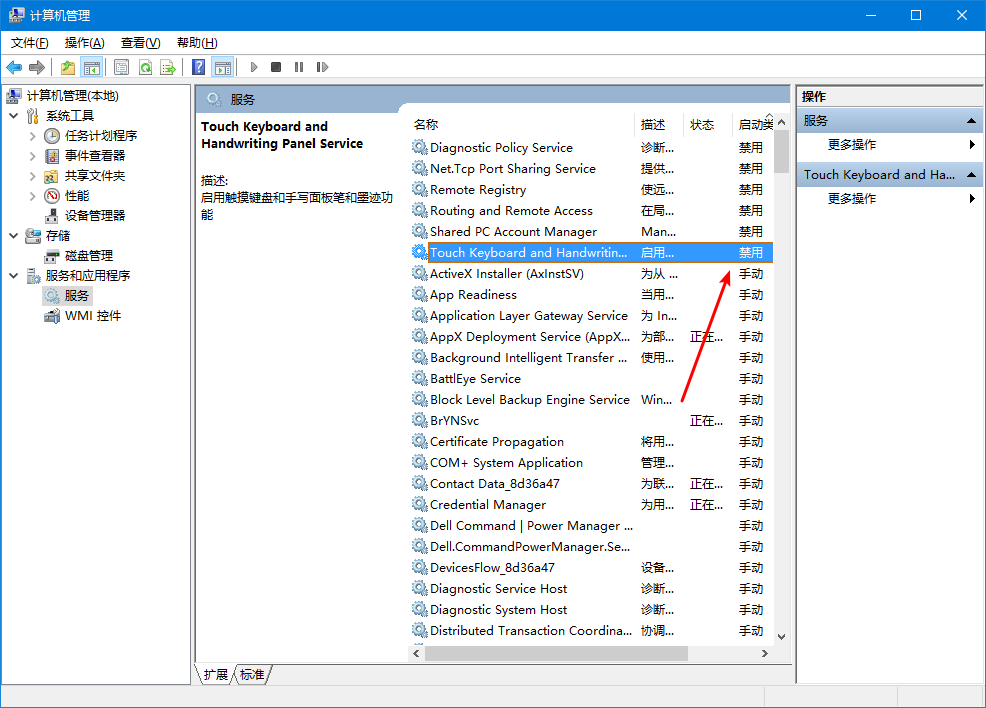
非触摸屏电脑,登录Win10时总弹出虚拟键盘怎么办? 解决方法 右键点开始菜单,选择计算机管理,在服务中,找到Touch Keyboard and Handwriting这个服务,将其禁用即可,反正屏幕没有触摸功能,这个东西也没有用。 Updated on December 13, 2017 Was this article helpful? Yes No Related Articles 关于近期Intel CPU 漏洞的说明 Windows10 如何使用PIN码登录 Windows10网络里面看不到NAS或其它电脑怎么办? 专题:正版Windows相关内容索引 如何重置 Windows 10的网络设置? Windows 10 如何关闭Xbox DVR功能?